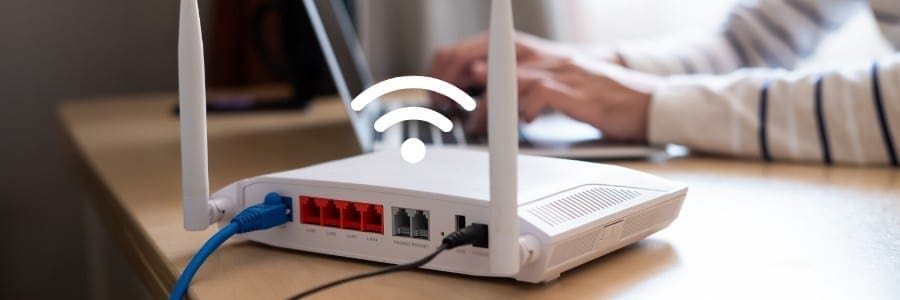
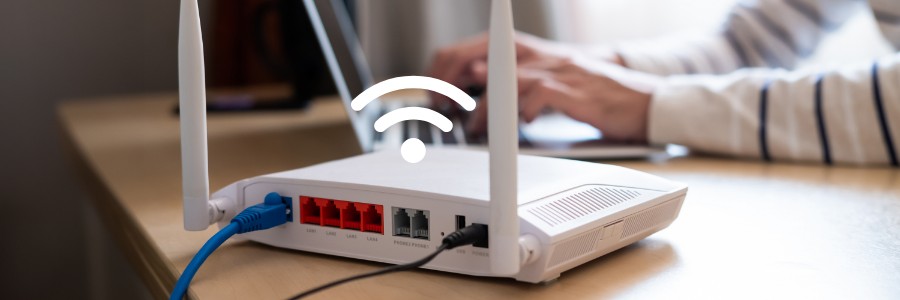
Slow or unreliable Wi-Fi can be frustrating, especially when working from home. Now more than ever, a stable internet connection is critical. One way to boost your home Wi-Fi signal is by adding wireless repeaters or access points to your setup.
What are wireless repeaters and access points?
Wireless repeaters and access points both extend the reach and reliability of your Wi-Fi, but they work in slightly different ways.
A wireless repeater extends the range of your router’s signal by receiving it and rebroadcasting it as a new network. They’re particularly useful for homes with thick walls or multiple floors, as they can help address issues that weaken Wi-Fi signals.
Meanwhile, you can think of an access point as an additional Wi-Fi router, allowing more wireless devices to connect to your network. It can also be used to increase coverage in areas with high device density or poor signal strength. Access points can either be built into routers or added separately to your existing network.
Where should you place repeaters and access points?
Before you buy or set up any new devices, you must first assess the current Wi-Fi coverage in your home. Doing this will help you determine the best locations for your repeaters and access points.
Follow these steps:
Measure Wi-Fi signal strength – Use a Wi-Fi analyzer app such as NetSpot, Wifi Analyzer, or OpenSignal to measure the signal strength in different areas of your home.
Identify dead zones – Pinpoint areas with weak or no Wi-Fi coverage. These are prime locations for repeaters.
Check for obstacles and interference – Be aware of factors that can block or weaken Wi-Fi signals, such as walls, furniture, appliances, water sources, and electronic devices. Avoid placing repeaters or access points near these obstructions.
Setting up wireless repeaters and access points
Once you’ve identified where your Wi-Fi signal is weak, it’s time to set up your wireless repeater or access point. Most of these devices are easy to install and come with instructions to guide you through the process.
Here’s how to install a wireless repeater:
Pick a location – Find a spot that’s free from obstructions, where the Wi-Fi signal is still somewhat strong but begins to weaken. This will ensure the repeater gets a solid signal to extend.
Power it up – Plug the repeater into a power outlet.
Connect to your network – You can either use an Ethernet cable to connect the repeater directly to your computer or join the repeater’s network wirelessly.
Enter your Wi-Fi password – On your computer, input your Wi-Fi network’s password to link the repeater to your existing network.
Each brand may have slight variations in the setup process, so refer to the manual for any additional steps.
To install an access point, follow these steps:
Choose a location – Pick a spot where there are minimal obstructions. You’ll also want the access point to be in an area that needs stronger Wi-Fi coverage.
Connect the cables – Turn off your router and computer, then connect the access point to your router using an Ethernet cable. You’ll also need to connect the access point to your computer.
Power it up – Turn your router back on, and plug in the access point to a power source.
Get connected – Power on your computer and enjoy the improved Wi-Fi signal.
As with repeaters, follow the manufacturer’s instructions for any additional steps in setting up the access point.
Other tips for maximizing your home Wi-Fi
Update your router’s settings – Access your router’s settings by typing the IP address provided in the manual (usually 192.168.0.1 or 192.168.1.1) into your web browser. Here, you can update firmware or make changes to your network settings to optimize performance.
Move your router – Sometimes, simply moving your router to a more central location in your home can greatly improve Wi-Fi coverage. Placing it on a high shelf and away from thick walls or metal objects may help, too.
If you need further assistance or more advanced Wi-Fi solutions for your home or business, don’t hesitate to contact our experts. We’re here to help!
We use cookies to improve your experience on our site. By using our site, you consent to cookies.
Cookie Preferences
Manage your cookie preferences below:
Essential cookies enable basic functions and are necessary for the proper function of the website.
Name
Description
Duration
Cookie Preferences
This cookie is used to store the user's cookie consent preferences.
30 days
A WordPress plugin that displays content in expandable accordion sections, such as FAQs. It stores a small browser value to remember which items a visitor has opened.
Name
Description
Duration
aab-progress-group-accordion-[instance]_[index]
Remembers which accordion sections you have opened on a page. This is stored in your browser only and is not used for tracking
4 weeks
Google Tag Manager simplifies the management of marketing tags on your website without code changes.
Name
Description
Duration
cookiePreferences
Registers cookie preferences of a user
2 years
td
Registers statistical data on users' behaviour on the website. Used for internal analytics by the website operator.
session
UserWay is an AI-powered accessibility widget that scans a website for WCAG and ADA accessibility issues and gives visitors on-page tools to adjust contrast, font size, navigation, and other display settings.
Set by the UserWay accessibility widget to maintain a session-scoped identifier while the widget is active on the page.
session
userway-s*
Set by the UserWay accessibility widget to support its functionality while active on the page.
session
WhatConverts is a call tracking and lead intelligence platform that captures and attributes leads — including phone calls, form submissions, and chat interactions — to the marketing campaigns, keywords, and traffic sources that generated them. It uses dynamic number insertion (DNI) to swap phone numbers on the page in real time, enabling accurate tracking of which marketing efforts drive inbound calls and conversions. Identifying data is not transmitted without express intent by filling out a contact form or via telephone call.
Used by WhatConverts to store a unique visitor identifier. Links the visitor’s session to their marketing source, enabling lead and conversion attribution across visits.
2 years
wc_swap
Used by WhatConverts to manage phone number swapping for dynamic number insertion (DNI). Stores the phone numbers to be swapped on the page to connect visitor sessions to trackable call numbers.
5 minutes
wc_client_current
Used by WhatConverts to store the current visitor’s client tracking data including referral source and visit details. Works alongside wc_client to maintain up-to-date attribution data for the active session.
Session
wc_client
Used by WhatConverts to store visitor and client tracking data including referral source, visit details, and visitor ID. Used for lead attribution and connecting marketing sources to conversions.
6 months
_gd[timestamp]
Used by WhatConverts to track visitor session data for lead attribution and call tracking on a specific page. The timestamp in the cookie name is unique to the visitor session.
Session
Statistics cookies collect information anonymously. This information helps us understand how visitors use our website.
Clarity is a web analytics service that tracks and reports website traffic.
Used to monitor number of Google Analytics server requests when using Google Tag Manager
1 minute
_gid
ID used to identify users for 24 hours after last activity
24 hours
_ga_
ID used to identify users
2 years
_gali
Used by Google Analytics to determine which links on a page are being clicked
30 seconds
__utmx
Used to determine whether a user is included in an A / B or Multivariate test.
18 months
__utmv
Contains custom information set by the web developer via the _setCustomVar method in Google Analytics. This cookie is updated every time new data is sent to the Google Analytics server.
2 years after last activity
__utmz
Contains information about the traffic source or campaign that directed user to the website. The cookie is set when the GA.js javascript is loaded and updated when data is sent to the Google Anaytics server
6 months after last activity
__utmc
Used only with old Urchin versions of Google Analytics and not with GA.js. Was used to distinguish between new sessions and visits at the end of a session.
End of session (browser)
__utmb
Used to distinguish new sessions and visits. This cookie is set when the GA.js javascript library is loaded and there is no existing __utmb cookie. The cookie is updated every time data is sent to the Google Analytics server.
30 minutes after last activity
__utmt
Used to monitor number of Google Analytics server requests
10 minutes
__utma
ID used to identify users and sessions
2 years after last activity
_gac_
Contains information related to marketing campaigns of the user. These are shared with Google AdWords / Google Ads when the Google Ads and Google Analytics accounts are linked together.
90 days
Google reCAPTCHA helps protect websites from spam and abuse by verifying user interactions through challenges.
Name
Description
Duration
_GRECAPTCHA
Google reCAPTCHA sets a necessary cookie (_GRECAPTCHA) when executed for the purpose of providing its risk analysis.
179 days
Marketing cookies are used to follow visitors to websites. The intention is to show ads that are relevant and engaging to the individual user.
Facebook Pixel is a web analytics service that tracks and reports website traffic.
Stores and reads ad-click and conversion attribution so Google Ads can measure how ads lead to actions on the site.
3 months
__Secure-3PSIDCC
Targeting cookie. Used to create a user profile and display relevant and personalised Google Ads to the user.
2 years
FPGCLAW
Google uses cookies for advertising, including serving and rendering ads, personalizing ads (depending on your ad settings at g.co/adsettings), limiting the number of times an ad is shown to a user, muting ads you have chosen to stop seeing, and measuring the effectiveness of ads.
90 Days
FPGCLGB
Google uses cookies for advertising, including serving and rendering ads, personalizing ads (depending on your ad settings at g.co/adsettings), limiting the number of times an ad is shown to a user, muting ads you have chosen to stop seeing, and measuring the effectiveness of ads.
90 Days
_gac_gb_
Google uses cookies for advertising, including serving and rendering ads, personalizing ads (depending on your ad settings at g.co/adsettings), limiting the number of times an ad is shown to a user, muting ads you have chosen to stop seeing, and measuring the effectiveness of ads.
90 Days
_gcl_gb
Google uses cookies for advertising, including serving and rendering ads, personalizing ads (depending on your ad settings at g.co/adsettings), limiting the number of times an ad is shown to a user, muting ads you have chosen to stop seeing, and measuring the effectiveness of ads.
90 Days
_gcl_gs
Google uses cookies for advertising, including serving and rendering ads, personalizing ads (depending on your ad settings at g.co/adsettings), limiting the number of times an ad is shown to a user, muting ads you have chosen to stop seeing, and measuring the effectiveness of ads.
90 Days
_gcl_aw
Google uses cookies for advertising, including serving and rendering ads, personalizing ads (depending on your ad settings at g.co/adsettings), limiting the number of times an ad is shown to a user, muting ads you have chosen to stop seeing, and measuring the effectiveness of ads.
90 Days
Conversion
Google uses cookies for advertising, including serving and rendering ads, personalizing ads (depending on your ad settings at g.co/adsettings), limiting the number of times an ad is shown to a user, muting ads you have chosen to stop seeing, and measuring the effectiveness of ads.
90 days
__Secure-3PSID
Targeting cookie. Used to profile the interests of website visitors and display relevant and personalised Google ads.
2 years
__Secure-1PAPISID
Targeting cookie. Used to create a user profile and display relevant and personalised Google Ads to the user.
2 years
__Secure-1PSIDTS
Targeting cookie. Used to create a user profile and display relevant and personalised Google Ads to the user.
2 years
__Secure-3PSIDTS
Targeting cookie. Used to create a user profile and display relevant and personalised Google Ads to the user.
2 years
ADS_VISITOR_ID
Cookie required to use the options and on-site web services
2 months
AEC
AEC cookies ensure that requests within a browsing session are made by the user, and not by other sites. These cookies prevent malicious sites from acting on behalf of a user without that user's knowledge.
6 months
__Secure-3PAPISID
Profiles the interests of website visitors to serve relevant and personalised ads through retargeting.
2 years
__Secure-1PSIDCC
Targeting cookie. Used to create a user profile and display relevant and personalised Google Ads to the user.
2 years
__Secure-1PSID
Targeting cookie. Used to create a user profile and display relevant and personalised Google Ads to the user.
2 years
Level Up Pipeline is the CRM and marketing platform we use to manage leads and follow-up. Its tracking script stores a session ID in your browser to link your visit and any form you submit to a lead record.
Stores a session ID that links a visitor's page views and form submissions to a lead record, so the business can see which marketing source produced the lead.
24 hours
LinkedIn Insight is a web analytics service that tracks and reports website traffic.