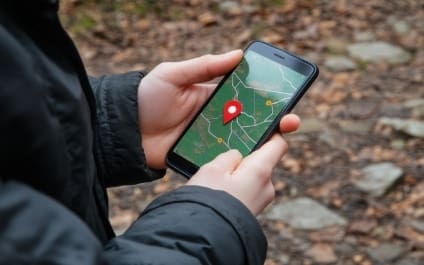
Have you ever casually talked about a product or service while your phone was nearby and then suddenly started seeing ads for it on your social media feed? Your phone is listening. If that concerns you, this should really worry you: your devices are tracking you too! From the phone itself to the apps you download and access, there are multiple ways that your device can ping your location.
Luckily, there are ways around allowing your phone to spy on you. In today’s article we’ll share why it’s so dangerous, the top six ways your phone is tracking you and how you can shut it down.
Why Is It Dangerous?
This data is a hot commodity for Internet marketers. The collected data is used to target you with the local and interest-based ads you’re most likely to be interested in. This digital “stalking” is legal as long as they give you the option to opt in or out. However, marketing execs aren’t the only ones interested in your data. Cybercriminals are too. Here are the reasons allowing your phone to track you is a no-go:
Privacy Invasion: Phone tracking allows apps, websites and third parties to collect extensive information about your location, habits and behaviors without your full knowledge. This constant surveillance can lead to a significant invasion of privacy, making users vulnerable to targeted advertising, data harvesting or even malicious tracking for more harmful purposes.
Identity Theft And Fraud: If your phone’s tracking data falls into the wrong hands – such as hackers or cybercriminals – it can be used to gather personal details and patterns. This data can enable identity theft, financial fraud or unauthorized access to sensitive accounts, causing financial and emotional harm.
Physical Security Risks: By sharing your real-time location data, phone tracking can expose you to physical security threats. For example, stalkers or criminals can exploit this information to track your whereabouts, compromising your safety. Publicizing your movements can also make it easier for bad actors to predict your routines or target you when you’re most vulnerable.
How Your Phone Is Tracking You
Location Services: Your phone’s GPS and location services track your whereabouts in real time, recording where you are and how long you stay there. Using “Frequent Locations,” your phone makes assumptions about where you work and live based on when you visit and how long you stay. While this is helpful for finding directions or nearby restaurants, constant tracking can also reveal your movement patterns, leaving you vulnerable to privacy invasion.
Both Apple and Android give you the option to turn this feature off. Exact instructions will vary by specific model and operating system; however, here are basic instructions:
How to turn it off:
iPhone: Go to Settings > Privacy & Security > Location Services. Toggle off Location Services or manage individual app permissions. Scroll down to System Services. Select Significant Locations to see the logged record of where you’ve been and toggle it off. You can also clear your history by clicking Clear History.
Android: Go to Settings > Location > AppPermissions, and either disable location tracking for specific apps or turn off Use Location To delete your device’s location history, tap Delete Location History at the bottom of the screen under Location History.
App Permissions: Many apps request access to your contacts, photos, microphone and camera, allowing them to track your activity, even when you’re not actively using the app, and collect more information than necessary. You can adjust this and should review it regularly to make sure you aren’t compromising your privacy.
How to turn it off:
iPhone: Go to Settings > Privacy & Security. From there, check categories like Camera, Microphone and Contacts to review and adjust app permissions.
Android: Go to Settings > Apps > Permissions. Here you can manage which apps have access to sensitive data like contacts, microphone and camera.
Wi-Fi And Bluetooth Connections: Your phone constantly scans for Wi-Fi and Bluetooth connections, allowing third parties to track your location based on the networks and devices you’ve interacted with.
How to turn it off:
iPhone: Swipe down from the top-right corner of the screen and toggle off Wi-Fi andBluetooth. For full control, go to Settings > Wi-Fi & Bluetooth to disable scanning.
Android: Go to Settings > Location > Wi-Fi & Bluetooth Disable these options to prevent your phone from constantly searching for networks and devices.
Browsing Activity: Web browsers and apps monitor your search history and the websites you visit. This data is used to build profiles about your preferences, feeding you targeted ads and potentially selling your behavior patterns to third parties.
How to turn it off:
iPhone & Android: Use your browser’s private or incognito mode for safer browsing. In Google Chrome, go to Settings > Privacy & Security and turn off Web & App Activity. Additionally, clear your browsing history and cookies regularly.
Ad Tracking: Your phone assigns you a unique advertising ID that companies use to track your behavior across apps and websites. This ID follows your activity, providing advertisers with insight into your interests to serve personalized ads.
How to turn it off:
iPhone: Go to Settings > Privacy & Security > Tracking and toggle off Allow Apps to Request to Track. You can also go to Settings > Privacy & Security > Apple Advertising to disable personalized ads. *This does not mean you won’t still see ads; you just won’t see personalized ads.
Android: Go to Settings > Privacy > Ads, then toggle on opt out of Ads Personalization.
Social Media And Search Engines: Platforms like Facebook, Instagram and Google track your online interactions, searches and location to create detailed profiles of your habits and interests. They use this data for advertising and content recommendations, which can feel invasive.
How to turn it off:
Social Media: Go to each platform’s settings (e.g., Facebook > Settings & Privacy > Privacy Shortcuts) to review what data is being collected and manage ad preferences.
Google: Go to Google Account > Data & Privacy > Web & App Activity to control how Google tracks your search and activity history. You can also adjust Ad Settings to limit ad tracking.
By adjusting these settings, you can significantly reduce the amount of personal information your phone tracks, giving you more control over your privacy.
Why This Matters For Business Owners:
For a business owner, protecting your personal privacy is just as crucial as securing your company’s sensitive information. The same tracking methods that follow your every move can also expose your business to risks. Hackers, cybercriminals and even competitors can exploit these vulnerabilities to gather valuable data about your business activities, customer interactions and confidential communications.
By taking steps to limit how your phone tracks you and adjusting your privacy settings, you’re not just protecting yourself – you’re also safeguarding your business from potential data breaches, identity theft and targeted cyber-attacks. In today’s world, cybersecurity isn’t just a technical issue, it’s a strategic one, and staying ahead of threats starts with being informed and proactive.
If you’re concerned about your business’s overall security, don’t wait for a problem to occur. Schedule a Complimentary Security Risk Assessment with our team today, and let’s ensure your entire network is protected from top to bottom. Our experts will identify vulnerabilities and recommend tailored solutions to keep your business safe. Click here or call us at 615 377 0054 to get started.
We use cookies to improve your experience on our site. By using our site, you consent to cookies.
Cookie Preferences
Manage your cookie preferences below:
Essential cookies enable basic functions and are necessary for the proper function of the website.
Name
Description
Duration
Cookie Preferences
This cookie is used to store the user's cookie consent preferences.
30 days
A WordPress plugin that displays content in expandable accordion sections, such as FAQs. It stores a small browser value to remember which items a visitor has opened.
Name
Description
Duration
aab-progress-group-accordion-[instance]_[index]
Remembers which accordion sections you have opened on a page. This is stored in your browser only and is not used for tracking
4 weeks
Google Tag Manager simplifies the management of marketing tags on your website without code changes.
Name
Description
Duration
cookiePreferences
Registers cookie preferences of a user
2 years
td
Registers statistical data on users' behaviour on the website. Used for internal analytics by the website operator.
session
UserWay is an AI-powered accessibility widget that scans a website for WCAG and ADA accessibility issues and gives visitors on-page tools to adjust contrast, font size, navigation, and other display settings.
Set by the UserWay accessibility widget to maintain a session-scoped identifier while the widget is active on the page.
session
userway-s*
Set by the UserWay accessibility widget to support its functionality while active on the page.
session
WhatConverts is a call tracking and lead intelligence platform that captures and attributes leads — including phone calls, form submissions, and chat interactions — to the marketing campaigns, keywords, and traffic sources that generated them. It uses dynamic number insertion (DNI) to swap phone numbers on the page in real time, enabling accurate tracking of which marketing efforts drive inbound calls and conversions. Identifying data is not transmitted without express intent by filling out a contact form or via telephone call.
Used by WhatConverts to store a unique visitor identifier. Links the visitor’s session to their marketing source, enabling lead and conversion attribution across visits.
2 years
wc_swap
Used by WhatConverts to manage phone number swapping for dynamic number insertion (DNI). Stores the phone numbers to be swapped on the page to connect visitor sessions to trackable call numbers.
5 minutes
wc_client_current
Used by WhatConverts to store the current visitor’s client tracking data including referral source and visit details. Works alongside wc_client to maintain up-to-date attribution data for the active session.
Session
wc_client
Used by WhatConverts to store visitor and client tracking data including referral source, visit details, and visitor ID. Used for lead attribution and connecting marketing sources to conversions.
6 months
_gd[timestamp]
Used by WhatConverts to track visitor session data for lead attribution and call tracking on a specific page. The timestamp in the cookie name is unique to the visitor session.
Session
Statistics cookies collect information anonymously. This information helps us understand how visitors use our website.
Clarity is a web analytics service that tracks and reports website traffic.
Used to monitor number of Google Analytics server requests when using Google Tag Manager
1 minute
_gid
ID used to identify users for 24 hours after last activity
24 hours
_ga_
ID used to identify users
2 years
_gali
Used by Google Analytics to determine which links on a page are being clicked
30 seconds
__utmx
Used to determine whether a user is included in an A / B or Multivariate test.
18 months
__utmv
Contains custom information set by the web developer via the _setCustomVar method in Google Analytics. This cookie is updated every time new data is sent to the Google Analytics server.
2 years after last activity
__utmz
Contains information about the traffic source or campaign that directed user to the website. The cookie is set when the GA.js javascript is loaded and updated when data is sent to the Google Anaytics server
6 months after last activity
__utmc
Used only with old Urchin versions of Google Analytics and not with GA.js. Was used to distinguish between new sessions and visits at the end of a session.
End of session (browser)
__utmb
Used to distinguish new sessions and visits. This cookie is set when the GA.js javascript library is loaded and there is no existing __utmb cookie. The cookie is updated every time data is sent to the Google Analytics server.
30 minutes after last activity
__utmt
Used to monitor number of Google Analytics server requests
10 minutes
__utma
ID used to identify users and sessions
2 years after last activity
_gac_
Contains information related to marketing campaigns of the user. These are shared with Google AdWords / Google Ads when the Google Ads and Google Analytics accounts are linked together.
90 days
Google reCAPTCHA helps protect websites from spam and abuse by verifying user interactions through challenges.
Name
Description
Duration
_GRECAPTCHA
Google reCAPTCHA sets a necessary cookie (_GRECAPTCHA) when executed for the purpose of providing its risk analysis.
179 days
Marketing cookies are used to follow visitors to websites. The intention is to show ads that are relevant and engaging to the individual user.
Facebook Pixel is a web analytics service that tracks and reports website traffic.
Stores and reads ad-click and conversion attribution so Google Ads can measure how ads lead to actions on the site.
3 months
__Secure-3PSIDCC
Targeting cookie. Used to create a user profile and display relevant and personalised Google Ads to the user.
2 years
FPGCLAW
Google uses cookies for advertising, including serving and rendering ads, personalizing ads (depending on your ad settings at g.co/adsettings), limiting the number of times an ad is shown to a user, muting ads you have chosen to stop seeing, and measuring the effectiveness of ads.
90 Days
FPGCLGB
Google uses cookies for advertising, including serving and rendering ads, personalizing ads (depending on your ad settings at g.co/adsettings), limiting the number of times an ad is shown to a user, muting ads you have chosen to stop seeing, and measuring the effectiveness of ads.
90 Days
_gac_gb_
Google uses cookies for advertising, including serving and rendering ads, personalizing ads (depending on your ad settings at g.co/adsettings), limiting the number of times an ad is shown to a user, muting ads you have chosen to stop seeing, and measuring the effectiveness of ads.
90 Days
_gcl_gb
Google uses cookies for advertising, including serving and rendering ads, personalizing ads (depending on your ad settings at g.co/adsettings), limiting the number of times an ad is shown to a user, muting ads you have chosen to stop seeing, and measuring the effectiveness of ads.
90 Days
_gcl_gs
Google uses cookies for advertising, including serving and rendering ads, personalizing ads (depending on your ad settings at g.co/adsettings), limiting the number of times an ad is shown to a user, muting ads you have chosen to stop seeing, and measuring the effectiveness of ads.
90 Days
_gcl_aw
Google uses cookies for advertising, including serving and rendering ads, personalizing ads (depending on your ad settings at g.co/adsettings), limiting the number of times an ad is shown to a user, muting ads you have chosen to stop seeing, and measuring the effectiveness of ads.
90 Days
Conversion
Google uses cookies for advertising, including serving and rendering ads, personalizing ads (depending on your ad settings at g.co/adsettings), limiting the number of times an ad is shown to a user, muting ads you have chosen to stop seeing, and measuring the effectiveness of ads.
90 days
__Secure-3PSID
Targeting cookie. Used to profile the interests of website visitors and display relevant and personalised Google ads.
2 years
__Secure-1PAPISID
Targeting cookie. Used to create a user profile and display relevant and personalised Google Ads to the user.
2 years
__Secure-1PSIDTS
Targeting cookie. Used to create a user profile and display relevant and personalised Google Ads to the user.
2 years
__Secure-3PSIDTS
Targeting cookie. Used to create a user profile and display relevant and personalised Google Ads to the user.
2 years
ADS_VISITOR_ID
Cookie required to use the options and on-site web services
2 months
AEC
AEC cookies ensure that requests within a browsing session are made by the user, and not by other sites. These cookies prevent malicious sites from acting on behalf of a user without that user's knowledge.
6 months
__Secure-3PAPISID
Profiles the interests of website visitors to serve relevant and personalised ads through retargeting.
2 years
__Secure-1PSIDCC
Targeting cookie. Used to create a user profile and display relevant and personalised Google Ads to the user.
2 years
__Secure-1PSID
Targeting cookie. Used to create a user profile and display relevant and personalised Google Ads to the user.
2 years
Level Up Pipeline is the CRM and marketing platform we use to manage leads and follow-up. Its tracking script stores a session ID in your browser to link your visit and any form you submit to a lead record.
Stores a session ID that links a visitor's page views and form submissions to a lead record, so the business can see which marketing source produced the lead.
24 hours
LinkedIn Insight is a web analytics service that tracks and reports website traffic.